Thanks for checking out our youth group’s Twitter newsletter. If this is your first time to Pomomusings, please subscribe to the RSS feed here and you can subscribe to my Twitter Feed here. You can also find more of my youth ministry posts here, including the Top 20 All-Time Best Youth Ministry Games.
A couple of nights ago, I sat down to make the monthly newsletter. Not something I totally hate – but generally one of those “time-suck” duties of youth ministry. I use iWork’s Pages to design it and had been using a template for the past year – but with the fall starting up, I wanted to come up with something else. So, at 6:42pm I asked my tweeps a question about ideas for a new design for our newsletter:
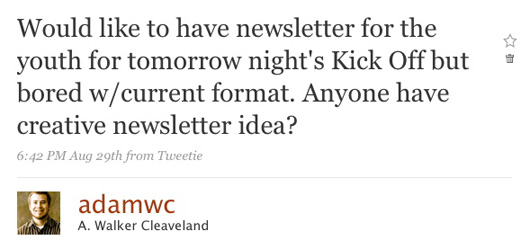 And within a few minutes, I received two responses. One from a middle school youth and another from a high school student who does all of our video editing for the youth group:
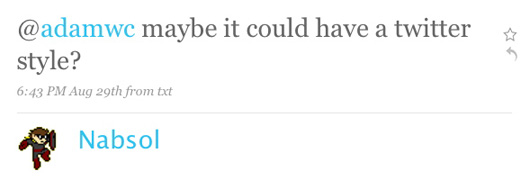
 So, when @missmadison got home, she promptly started getting to work on creating a template in Pages that would match up with the current Twitter user-interface. She did an amazing job – filled in all the info, sent it to me and I made a few edits and we had our newly designed newsletter! You can view images of the newsletter here (page 1 and page 2) or download the full PDF version here. I learned a few things that night:
- I think sometimes youth ministry folks feel the pressure to come up with all the cool, creative, new ideas. Why? Your youth groups are FILLED with youth who are creative and have some great ideas.
- Sometimes youth pastors feel the need to do everything themselves. I think this is especially true for youth pastors in smaller programs who may not have extensive volunteers and other leadership helping them. It’s easy to fall into that trap, but your ministry (and your life) will see radical improvements when you share the leadership and responsibilities – even with youth themselves!
- I’ve known this ever since I got here – but I have really creative and talented youth (and you do too!). Creating this Twitter newsletter template would have taken me HOURS – a really long time. But @missmadison put it all together in just a couple hours. She can also edit and put together movies in a FRACTION of the time that it would take me (even in iMovie). We need to continually find more and more ways to engage the creativity and gifts of our youth.
UPDATE: We have added a Microsoft Publisher version of a Twitter Postcard to this download. This post has gotten some great attention – it was posted at Rethinking Youth Ministry and was also included in the Church Mojo podcast (audio clip is below):
[audio:http://www.pomomusings.com/wp-content/mp3/Twitter.mp3]Download the Twitter Youth Group Newsletter Template
I have put together this zipped file (20mb) that you can download that has the following things in it:
- Newsletter in iWork’s Pages format (this is what we designed it in)
- Newsletter in Microsoft Office format
- Postcard in the same Twitter-format in Microsoft Publisher format
- Photoshop file (.psd) for the Twitter-style logo for your youth group name
- Three Arista Twitter-Style font files
In order to create the Twitter-logo for your youth group name, you could try to use the Arista font after installed and just insert it into the document, or you could do the following:
- Open up the Twitter-Youth-Logo.psd in Photoshop. Change the text to your youth group’s name (might need to resize the image)
- Make sure there is no background selected and Save for Web and use the PNG format
- That will give you the transparent logo that you could then put over any background (we chose the dark grey)
I hope you enjoy this template provided here – created by one of our youth! So – you can download the template files for free. Or, if you’d like to donate something for this free resource, you can choose to download it and make a small donation. Totally your choice. All money raised will go to support the youth ministry of Asbury United Methodist Church! **If you do make a donation, after you you make it through PayPal, be sure and click on “RETURN TO DONATIONS COORDINATOR” and that will be the Download link.